Setting up Matt Pocock Skills
Adding mattpocock skills to my repo
Having to little time to work on my personal project I have decided to signup for cursor to improve my workflow instead of having to copy my error or things i want to do into ChatGPT. Why I choose cursor instead of others like claude Code and Codex, partly because cursor allow user access to other models and Grok 4.5 High is relatively affordable.
Matt Pocock Skills
I feel that for people with limited time wants to build something on our own we can always make use of the AI tools that we like to not only improve our work but also to speed up the process. But purely vibecoding is not really for me as I still believe that good software engineering principles can go a long way to keep things in check, and build proper structure. So with skills from Matt Pocock we can really work like we have a team of AI agents who knows how to work like a proper software engineer. You can also search for his video on youtube which is very helpful.
Setup on cursor
Simply run the following command after you have your node install
npx skills@latest add mattpocock/skills
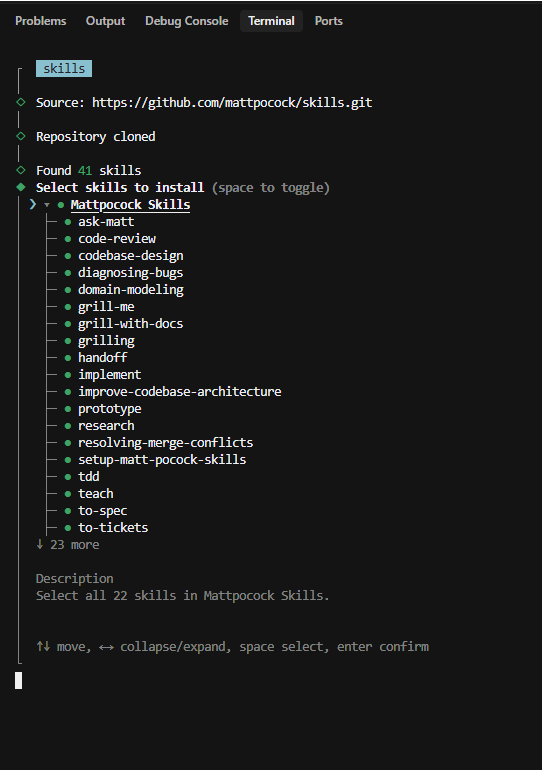
We are going to choose the Mattpocock skills and ignore those others which is what the author of this repo are currently tinkering with. I believe that this should be sufficient. We can use <space> to select the whole list
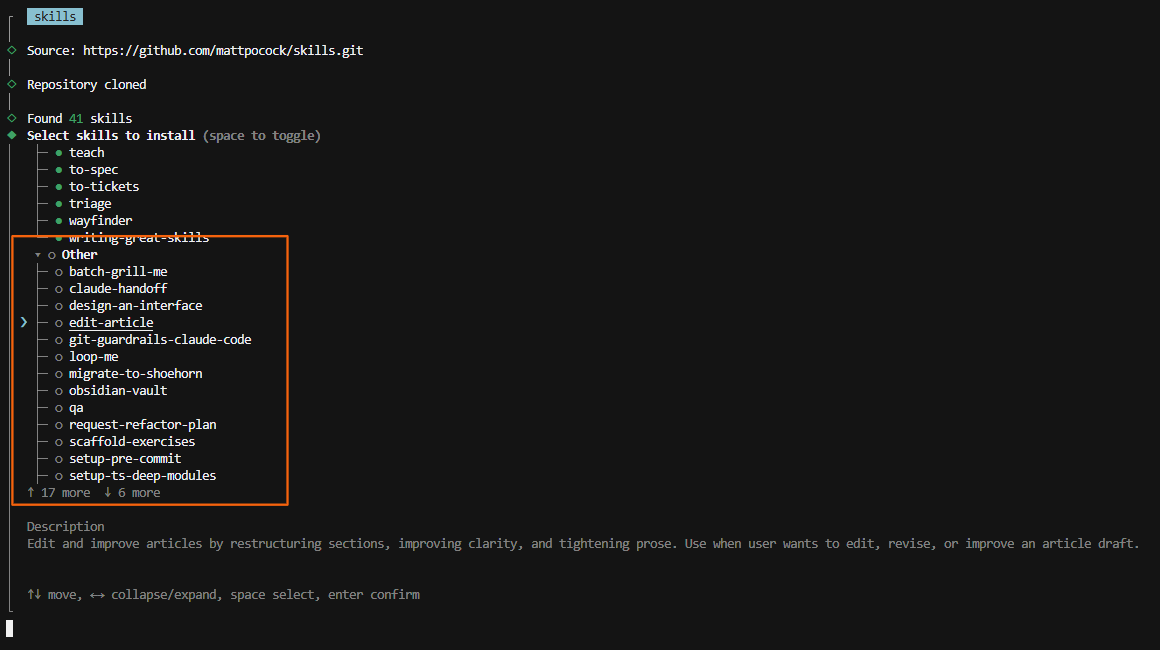
I am going to ignore those in orange, which are like the beta skills that the author is working on.